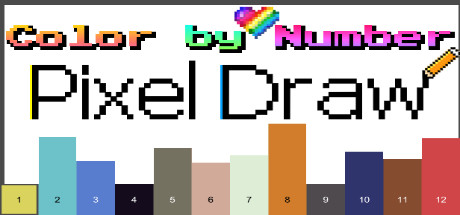
Color by Number - Pixel Draw is an addictive anti-stress pixel art game. Choose from a variety of fun pixel images and follow the numbers to bring them to life. Pixel Coloring has never been this easy!
Modeled estimate, not a reported figure. How we estimate →
Discounts
Every price cut of more than 20% we have observed, in each market that quoted one, with this game's chart position on either side of it. These are episodes, not a model: a sale is one event, and one event cannot tell you what the next one will do.
Reviews, worldwide (the counter carries no country): 0/day in the week to Sep 7 → 0/day in the week after.

For scale, across Steam · Top Sellers · Brazil over the last 30 days: the 26 chart moves that followed a price cut of more than 20% went a median of 7 places towards #1, and the 2,400 moves with no price cut behind them went 2 away. One store, one chart, one country — it is the only place we have enough observations to say even that.
Prices outside the United States have been collected since 6 August 2026 and chart positions since 19 July 2026, so a cut older than that has no market to compare and a market that joined later has no history yet. Nothing here is converted between currencies.
About
Genres
Add-ons
Each DLC is estimated with the same model as a game, then summed — a modeled figure, not reported DLC sales.
Engagement
Reviews
The main game is not bad overall, there are both interesting pictures and not so interesting ones, but what bothered me was the lack of achievements, while the free alternatives have them. Expansion Pack 1, it's terrible, uninteresting pictures, lots of food, stones, etc.
Honestly, might be the WORST color by number I have ever played. - Scrolling between the pages is a nightmare. - The launch options having the DLCs (even when you don't have them) why is it even seperated? - No drag to color - Scroll could easily be added instead of that bar on the top to change the zooming - Why is there a watermark like every 2 lines and how is it not even aligned in the centre half the time? - Why are there empty drawings? So many easy ways to make this game actually great because the drawings aren't half bad but this is way too rushed. Can't even recommend this on sale, there's so many better ones on the market, even for free.
Media

Related
Related
Price dynamics, follower growth, revenue and sales trajectories with interactive tooltips
This and every other Pro feature is free until October 20, 2026. A free account is all it takes.
Stats
All-time low is the lowest price we've recorded for this game since we started tracking it.
Languages: English
Hours played at review time, across 23 reviews with recorded playtime.
I love coloring pixel games and I have a ton of other similar games in my library already. But this one is garbage, thanks to the awful controls. I don't need the smoothest controls and I can forgive a lot in coloring games (I still found enjoyment in other average coloring games), but I can barely finish the first picture in this one. Because for some stupid reason the left mouse button doesn't just color in the pixels, it ALSO is used for moving the picture around. Let me explain why that is a big problem. In other coloring pixel type games you use the left mouse button to color pixels and the right mouse button to move the picture. Meaning you can just pick a color, hold down the left mouse button and move the cursor around to color plenty of pixels at once to speed thing up and make it easier on your fingers. And once you're done with the first part of the picture and need to move to the next uncolored section, you press in the right mouse button, move the picture to the uncolored section and start the same process over again. Simple. Easy. In this game though, when you hold in the left mouse button to fill in more then one pixel at a time, instead of coloring the pixels normally, you just move the picture all over uncontrollably. So if you wanna finish a picture, you will have to color in each individual pixel one at a time. All because of the tedious controls. And no, you can't change them. There are exactly two options in the settings. Enable/Disable sounds and enable/disable music. That's it. That's all the settings you can change. Heck, unlike other coloring games you can't even use the mouse wheel to zoom in and out, you just have to use a slider at the top of the screen. Oh and the game also doesn't have an official exit game button, you just have to press the ESC key, meaning that if you press escape expecting to pull up the options, you just close down your game instead. Just get another coloring pixel game instead. There are plenty on Steam to choose from.
Selling now
See how fast this game is selling right now — estimated copies and revenue per day from recent review growth.
Players by region
Where this game's players are, estimated from review languages.
Related
| Game | Estimated lifetime revenue | Reviews | Review score | Price |
|---|---|---|---|---|
| $329 | 7 | 43% | $1.99 | |
| $221 | 4 | 50% | $1.99 | |
| $82 | 2 | 50% | $1.99 | |
| $48 | 1 | 100% | $1.99 | |
| $43 | 0 | — | $1.99 | |
| $0 | 0 | — | $1.99 |
Related
| Game | Estimated lifetime revenue | Reviews | Review score | Price |
|---|---|---|---|---|
| $1K | 54 | 37% | $0.99 | |
| $1K | 64 | 69% | $0.99 | |
| $1K | 55 | 44% | $0.99 | |
| $1K | 54 | 98% | $0.99 | |
| $1K | 55 | 62% | $0.99 | |
| $1K | 53 | 96% | $0.99 |