Birch
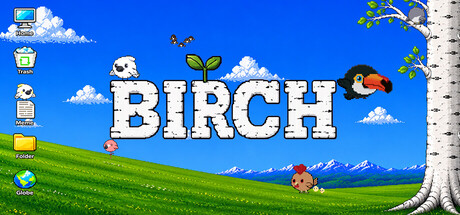
Little birds live on your desktop and settle on your icons. Come close and they'll react. Ignore them and they won't mind. Stick around long enough, though, and they start to know who you are.
Estimated lifetime revenueLow confidence
—gross
—
Modeled estimate, not a reported figure. How we estimate →
Est. copies sold
0
mid estimate
Reviews
0
Review score
—
Concurrent players
About
About the game
You're not the only one at this desk anymore.
Birch puts small, living birds right on your Windows desktop. Not inside a
window you have to open. On the desktop itself, where you already spend
your hours.
They get on with their day beside yours. Walking along your taskbar,
settling on your icons, dozing off, waking up again. And every so often one
of them notices you're there.
There's nothing to feed and nothing to manage. They just keep you company
while you work, and after a while the place starts to feel like theirs too.
Stay a while, and they warm up to you.
Spend quiet time near them and you'll start to notice small changes. They sit
a little closer. They react a little differently. Stay around long enough and
one of them might bring a friend.
Features
- Multiple bird species, each with its own personality and way of moving
- Interactive: birds react when you hover or click near them
- Perches on your real desktop icons, not just the background
- Dynamic behavior: idle, walk, fly, rest, startled, and more
- Familiarity system, so the more time you spend together, the warmer they become
- Unlock system: discover new species by bonding with your current birds
- Multi-monitor support
- Lightweight, runs quietly in the system tray and never gets in your way
Birds available at launch
- White Cockatoo: sociable and restless, always claiming the nearest icon
- Yellow Cockatoo: active and expressive, hard to ignore
- Eagle: calm, deliberate, flies in clean straight lines
- Owl sleeps through your workday and comes alive after dark
- Sparrow can't sit still for two seconds
- Chicken can't fly, but hops between icons with surprising conviction
- Woodpecker is the only one that perches sideways on your icons
- Toucan: hard to miss
- Flamingo stays low and moves at its own pace
- Long-tailed Tit: tiny, fast, never stops
- Swallow almost never lands, and when it does it won't stay long
- Java Sparrow is happy just to sit nearby, calm and compact
Always there, never in the way
Your birds stay with you while you work, but they never cover your windows
or block what you're doing. Open the settings or hide them all at any time
from the system tray.
